
AI 扩图
把任何照片扩展到你需要的画幅
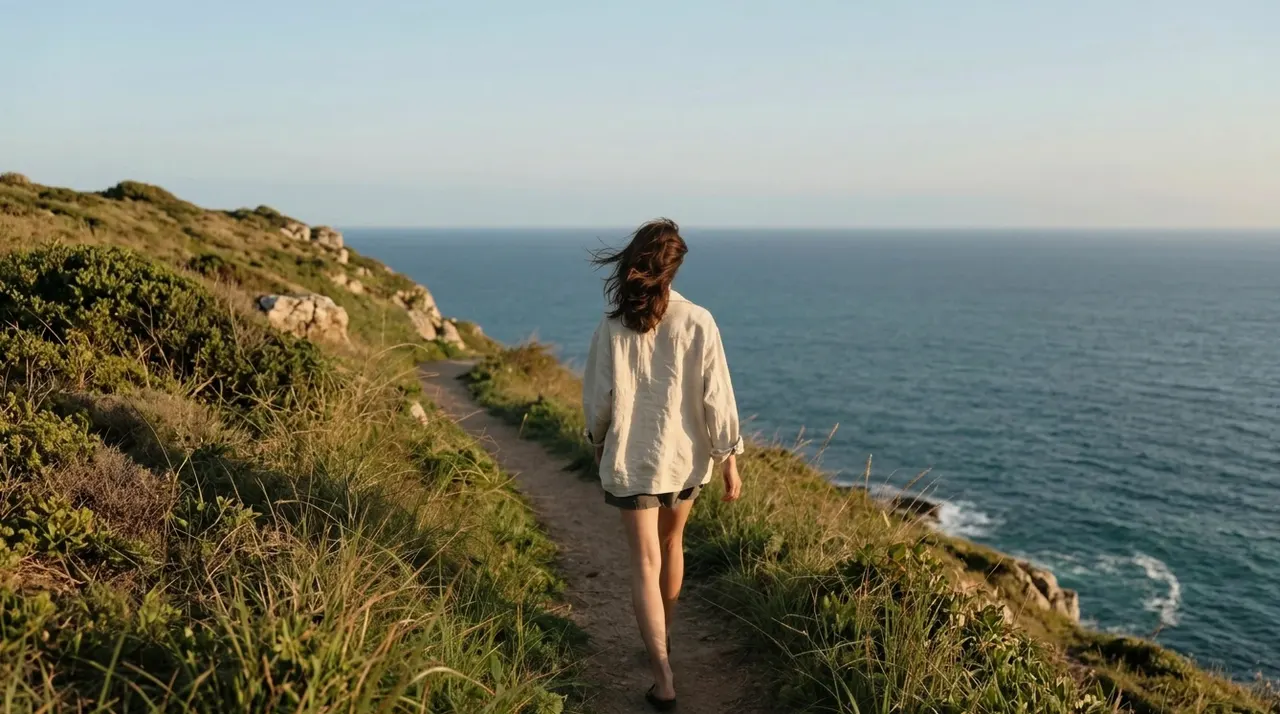
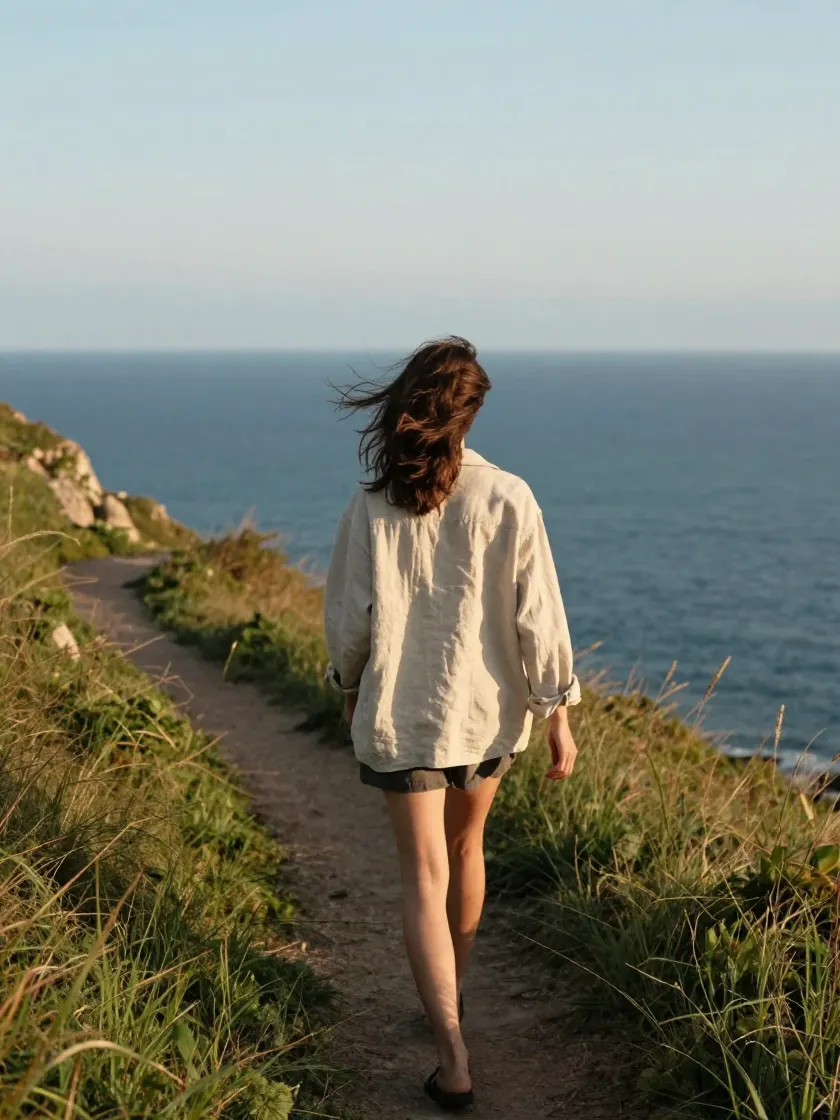
上传照片,选择 16:9 或 9:16 等画幅,模型会补画边缘之外的内容。原图保持在中央,运行前就能看到积分价格。
- 16:9
- 9:16
- 4:5
- 1:1
- 3:2
画幅
一张照片,适配所有画幅
八种常用画幅,从竖屏快拍到超宽横幅。每个页面都有真实的运行结果和使用技巧。
16:9
YouTube、桌面壁纸、幻灯片
9:16
快拍、Reels、抖音、手机壁纸
4:5
Instagram 与 Facebook 信息流
1:1
头像、电商商品图
3:2
相机照片冲印、博客头图
2:3
Pinterest、海报、冲印
4:3
演示文稿、平板、传统冲印
21:9
网站横幅、超宽壁纸
前后对比
本工具的真实扩图结果
基于 AI 生成样图的未修饰输出,每张下方列出所用的完整指令。
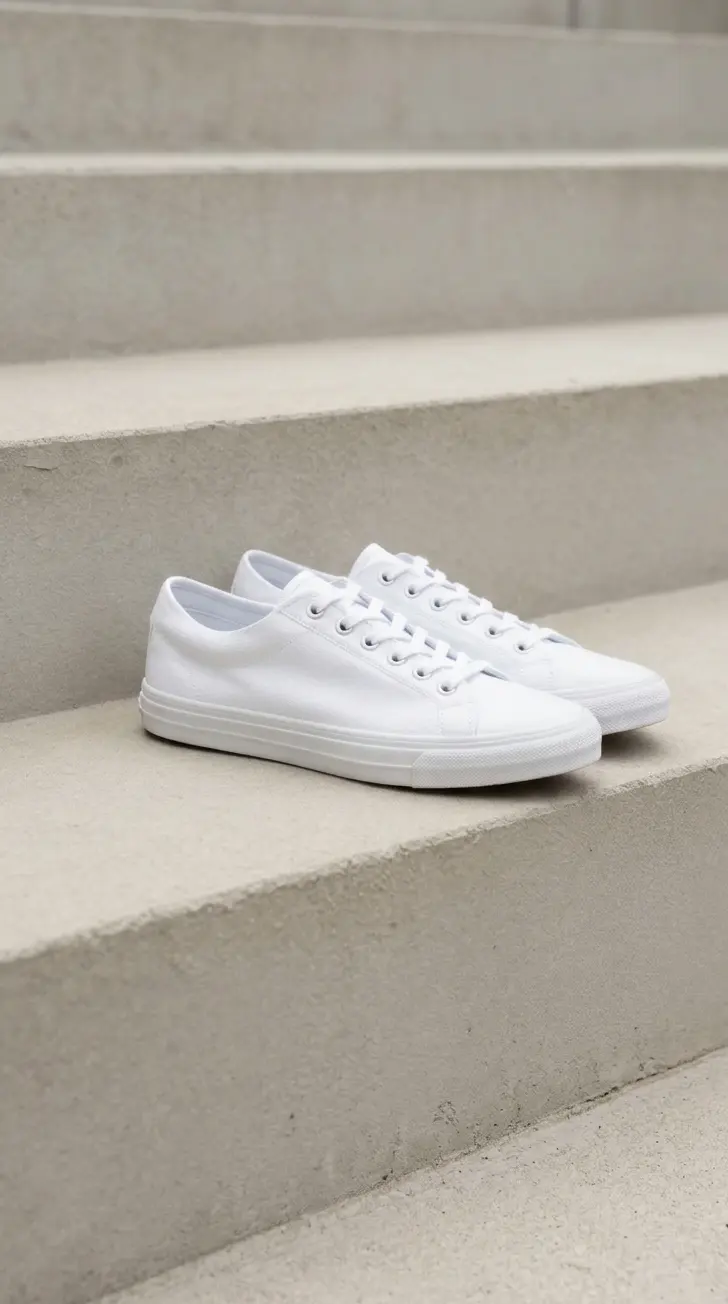
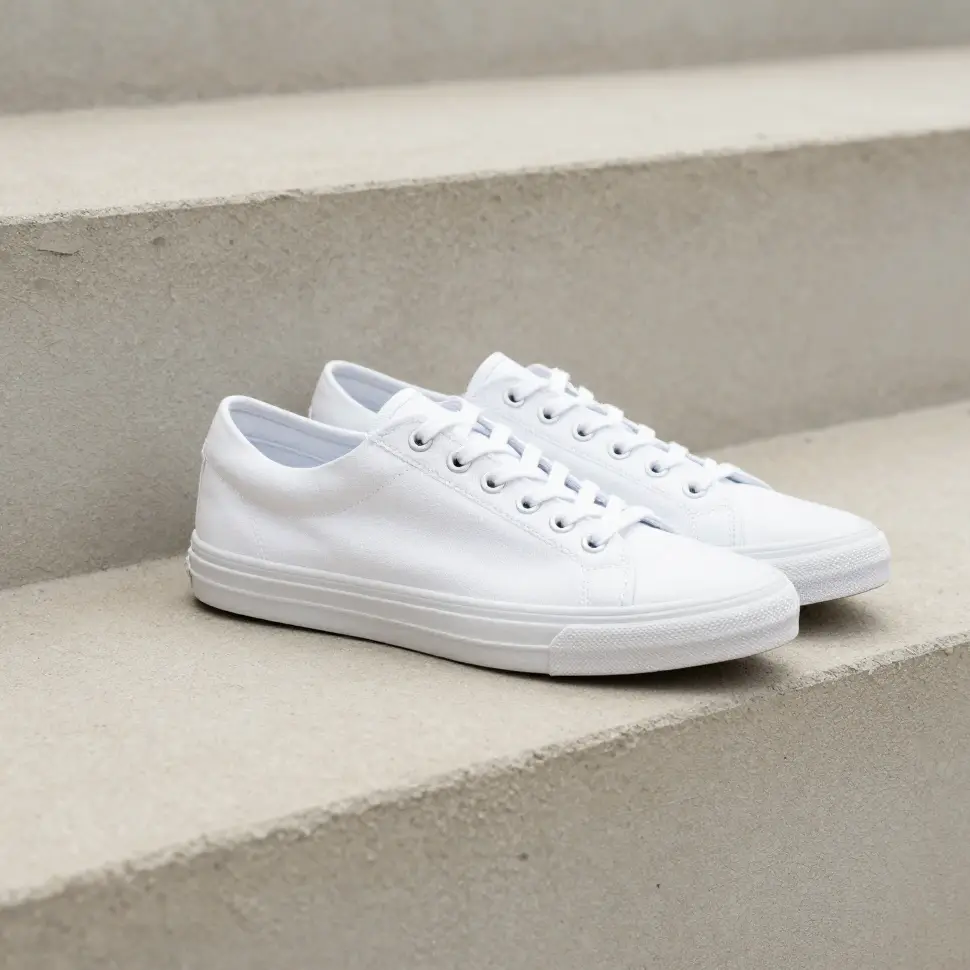
扩展到 9:16
指令
Extend this photo outward to fill a 9:16 frame. Keep the original picture unchanged, at the same size, in the middle, and continue the scene naturally past its edges with matching perspective, lighting, colour, grain and texture. Do not crop, zoom or move the original. Add no new people, text, borders, frames or watermarks.
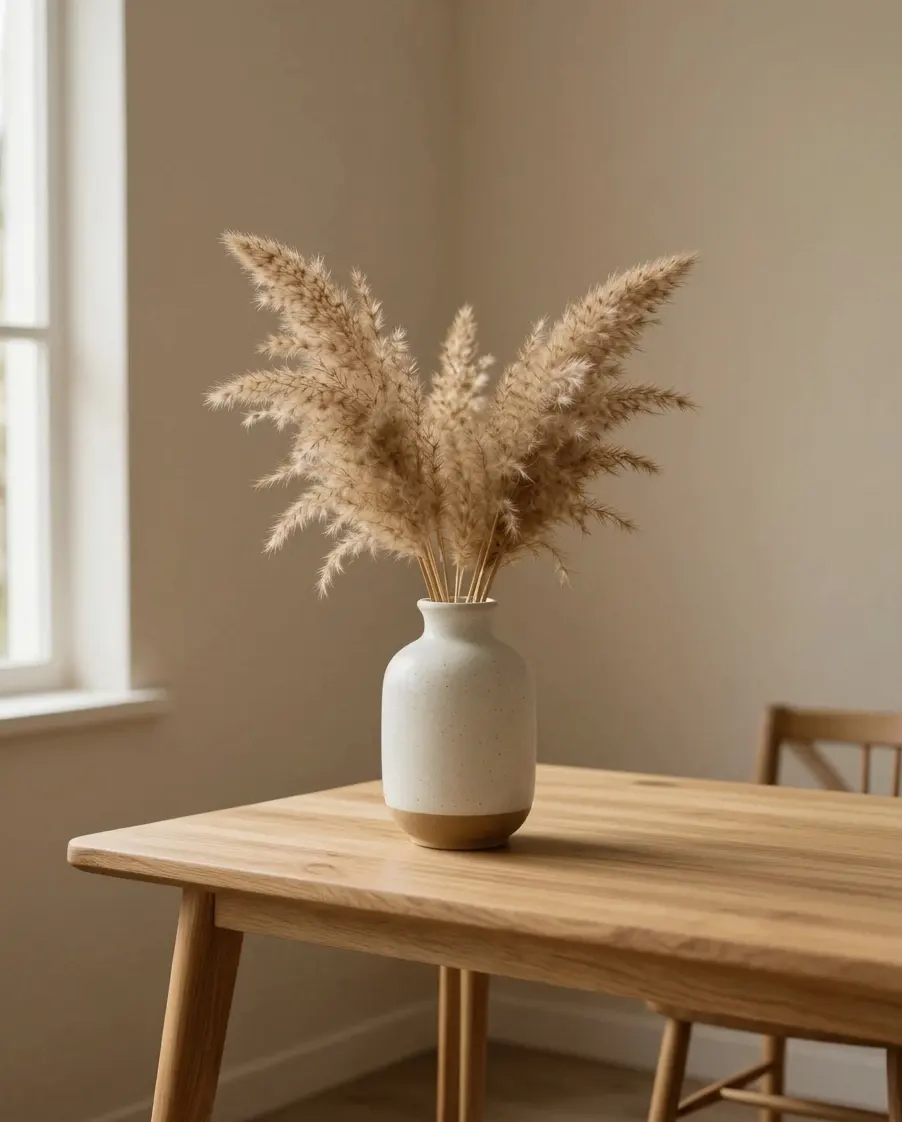
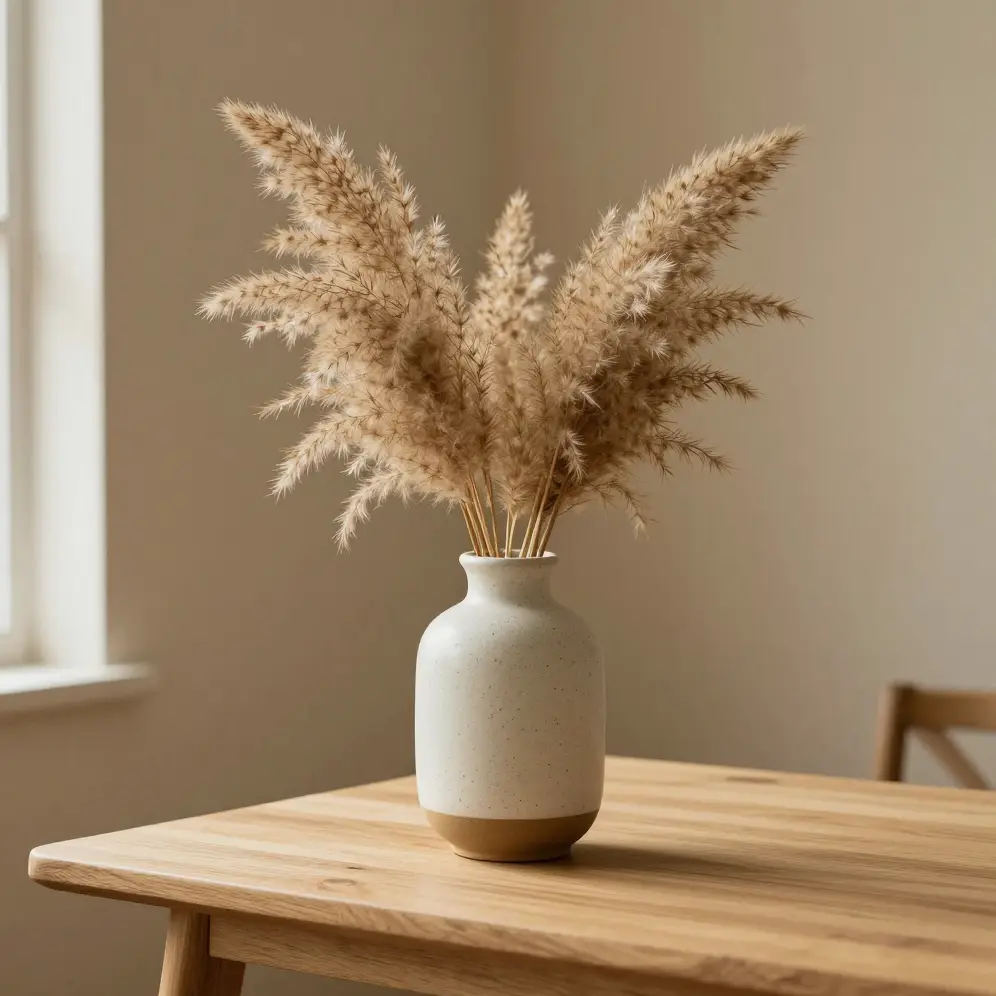
扩展到 4:5
指令
Extend this photo outward to fill a 4:5 frame. Keep the original picture unchanged, at the same size, in the middle, and continue the scene naturally past its edges with matching perspective, lighting, colour, grain and texture. Do not crop, zoom or move the original. Add no new people, text, borders, frames or watermarks.
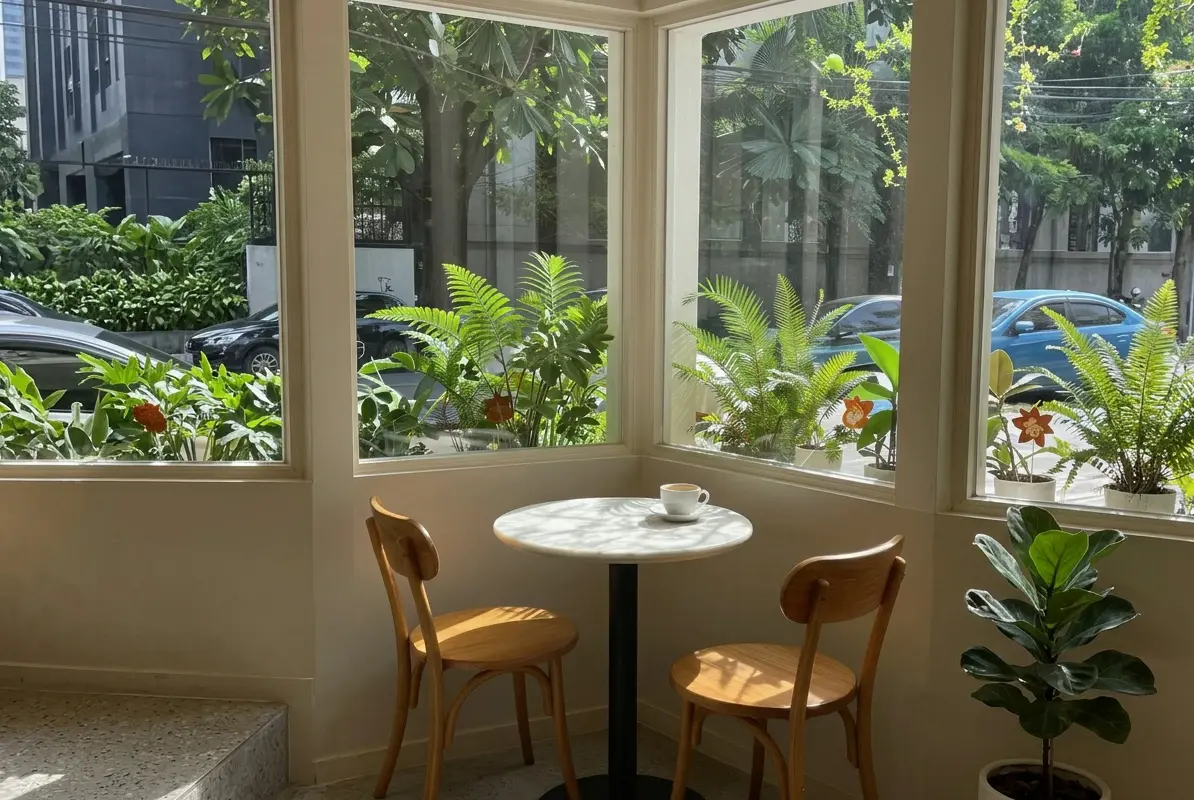
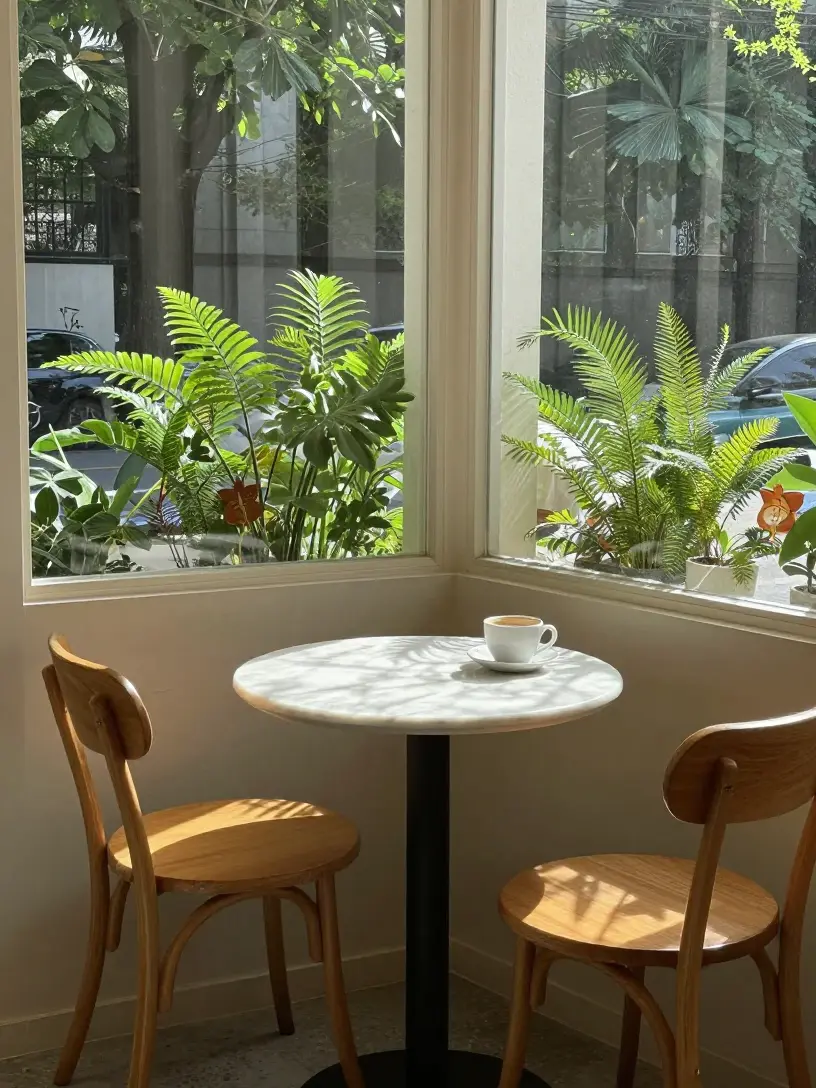
扩展到 3:2
指令
Extend this photo outward to fill a 3:2 frame. Keep the original picture unchanged, at the same size, in the middle, and continue the scene naturally past its edges with matching perspective, lighting, colour, grain and texture. Do not crop, zoom or move the original. Add no new people, text, borders, frames or watermarks.
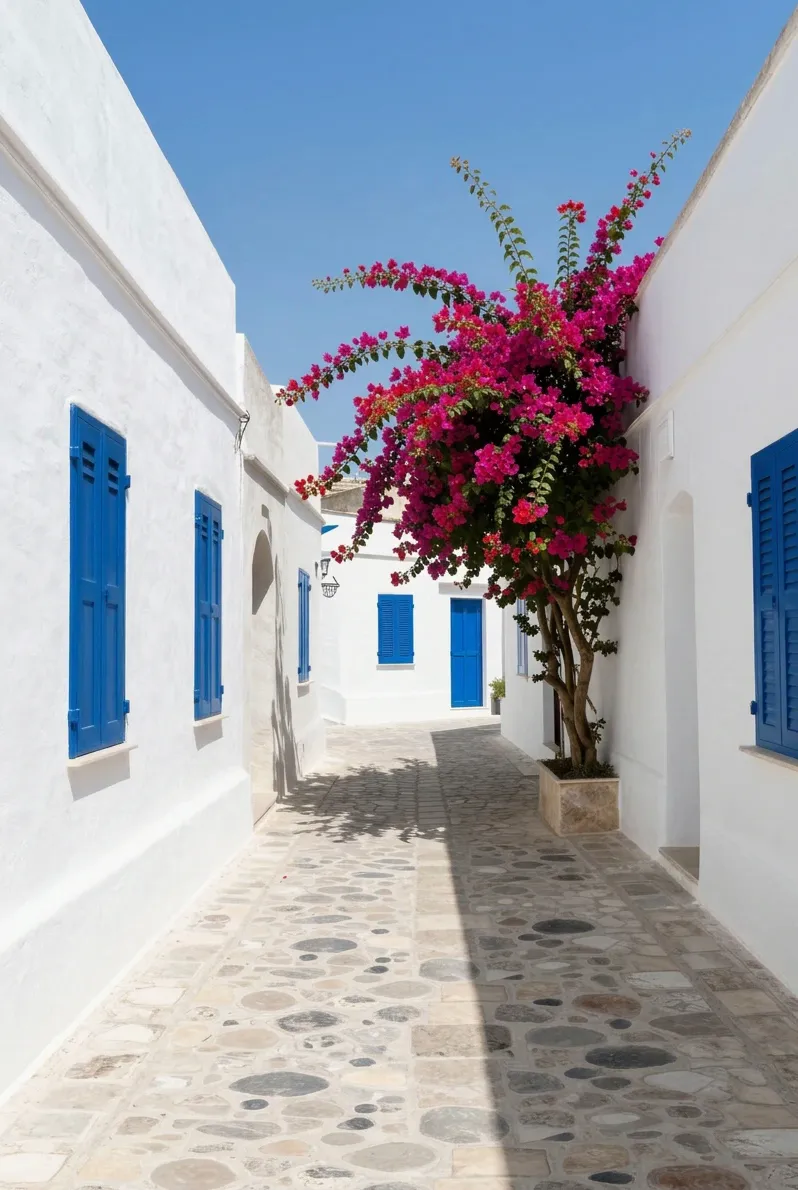
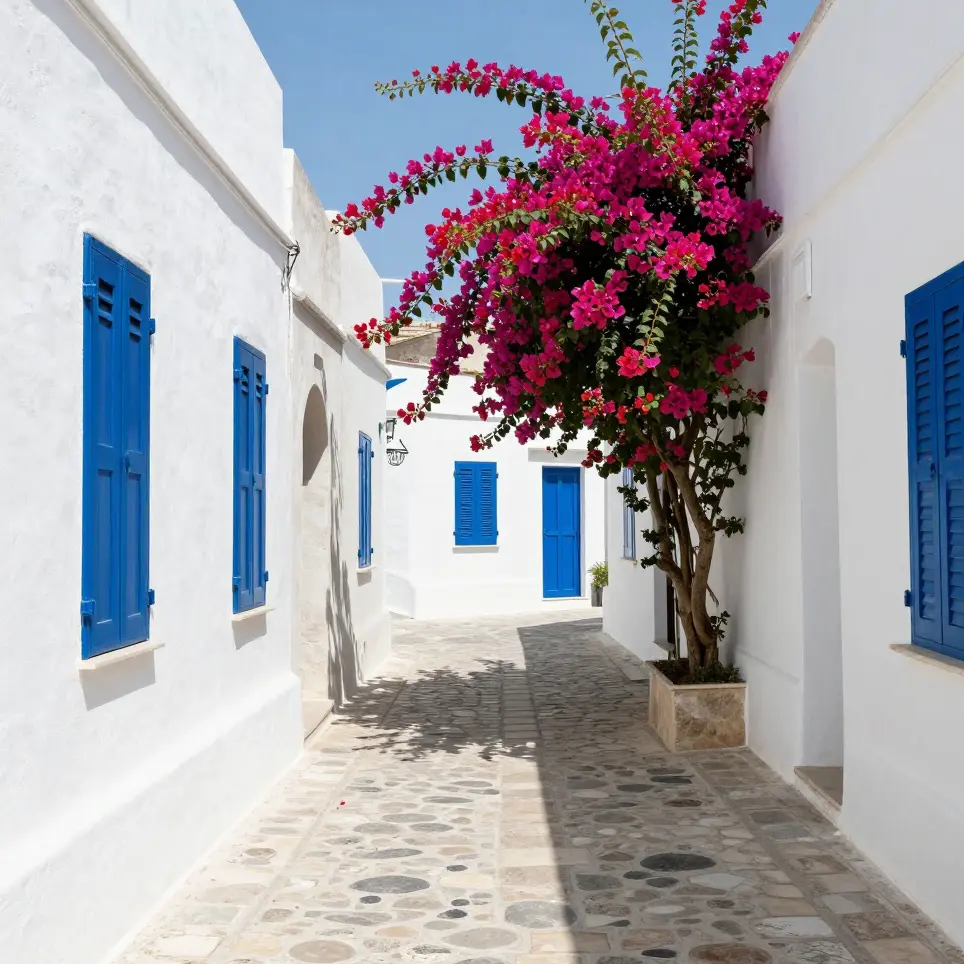
扩展到 2:3
指令
Extend this photo outward to fill a 2:3 frame. Keep the original picture unchanged, at the same size, in the middle, and continue the scene naturally past its edges with matching perspective, lighting, colour, grain and texture. Do not crop, zoom or move the original. Add no new people, text, borders, frames or watermarks.
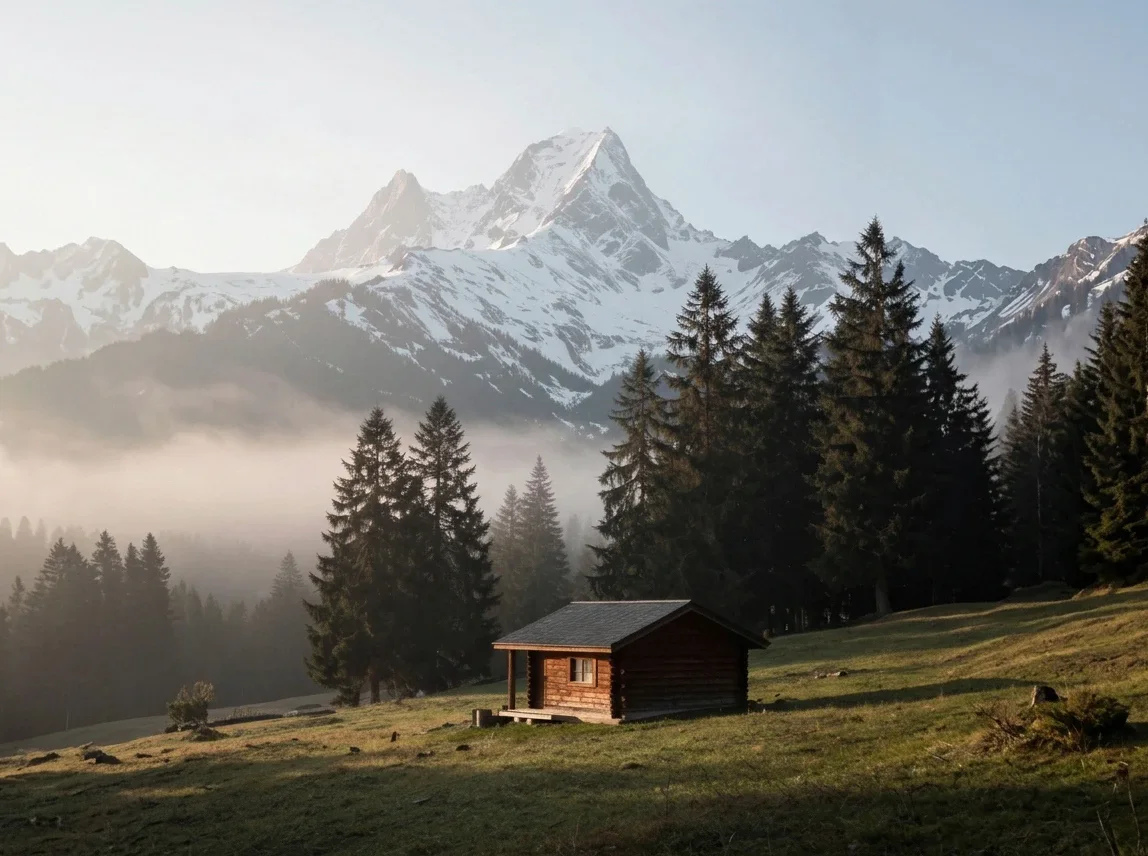
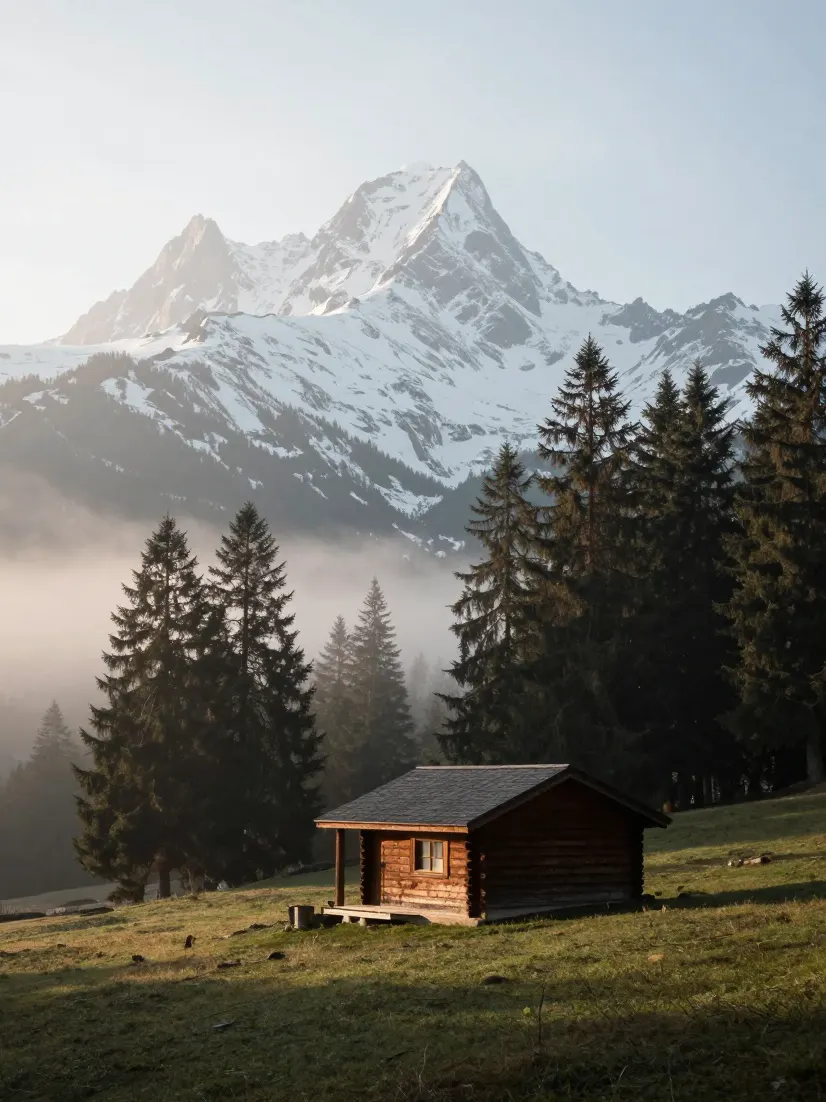
扩展到 4:3
指令
Extend this photo outward to fill a 4:3 frame. Keep the original picture unchanged, at the same size, in the middle, and continue the scene naturally past its edges with matching perspective, lighting, colour, grain and texture. Do not crop, zoom or move the original. Add no new people, text, borders, frames or watermarks.
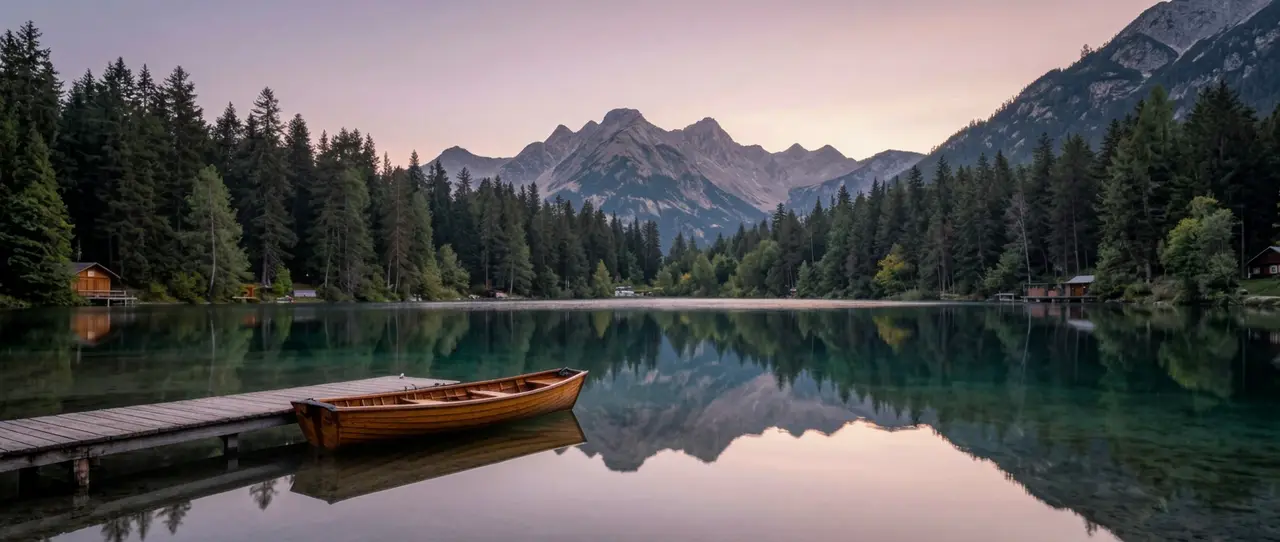
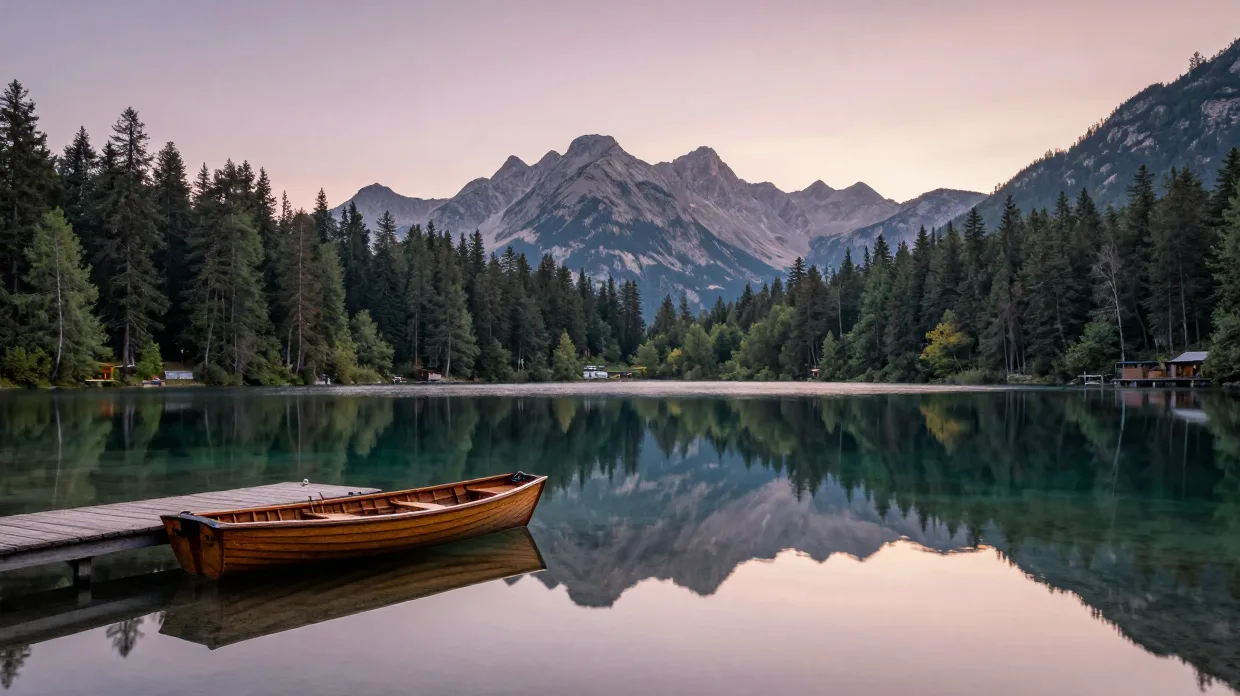
扩展到 21:9
指令
Extend this photo outward to fill a 21:9 frame. Keep the original picture unchanged, at the same size, in the middle, and continue the scene naturally past its edges with matching perspective, lighting, colour, grain and texture. Do not crop, zoom or move the original. Add no new people, text, borders, frames or watermarks.
使用方法
如何用 AI 扩图
无论哪种画幅,都是三步。
- 01
上传照片
JPG、PNG 或 WebP,最大 10 MB,私密保存在你的账户中。
- 02
选择新画幅
选好画幅,可选填写新区域应有的内容,再选择模型和输出尺寸,积分价格会随之更新。
- 03
对比并下载
拖动滑块对比,保留中央的原图像素后下载。想要更宽的画幅,可以在结果上继续扩展。
模型
由哪个模型扩展你的照片
模型由你选择。每次扩图的积分按模型和输出尺寸固定。
| 模型 | 适合 | 1K | 2K |
|---|---|---|---|
| Nano Banana 2.1 | 日常扩图:速度快、成本低,擅长延续纹理 | 33 | 49 |
| GPT Image 2 | 复杂场景和室内的另一种选择 | 49 | — |
2K 输出需要订阅或积分包。只有完成的扩图才会扣积分。
价格
适合个人创作者或整个排版团队的套餐
三种个人套餐、两种按席位计费的团队套餐,以及适合偶尔使用的积分包。新账户一次性获得 33 免费积分:一次完整扩图。
Margin
每周重构几张照片
$5.58/月
每年一次性支付 $67
或按月付 $6.70
- 每月 2,320 积分
- 约 70 次 Nano Banana 2.1 1K 扩图
- 每年 27,840 积分,每月发放 2,320
- 同时进行 2 个扩图
- 最高 2K 输出
Widescreen
适合每天都要调整画幅的创作者
$13.58/月
每年一次性支付 $163
或按月付 $16.30
- 每月 5,820 积分
- 约 176 次 Nano Banana 2.1 1K 扩图
- 每年 69,840 积分,每月发放 5,820
- 同时进行 6 个扩图
- 最高 2K 输出
- 用于脚本的 API 密钥和 MCP
Horizon
适合有整套商品图的店铺和工作室
$31.58/月
每年一次性支付 $379
或按月付 $37.90
- 每月 14,240 积分
- 约 431 次 Nano Banana 2.1 1K 扩图
- 每年 170,880 积分,每月发放 14,240
- 同时进行 6 个扩图
- 最高 2K 输出
- 用于脚本的 API 密钥和 MCP
团队套餐
按席位计费,3 个席位起。每个席位的积分汇入同一个积分池,成员通过邀请链接加入。
Layout Desk
小型排版团队共用的积分池
$152每席位每年
或按月付每席位 $15.20
3 个席位:共 $456
- 积分池每月 14,940 积分(每席位 4,980)
- 团队共享一个积分池
- 同时进行 6 个扩图
- 最高 2K 输出
- 用于脚本的 API 密钥和 MCP
Art Department
每席位更多积分,并可为每位成员设置积分上限
$341每席位每年
或按月付每席位 $34.20
3 个席位:共 $1,023
- 积分池每月 36,090 积分(每席位 12,030)
- 团队共享一个积分池
- 同时进行 6 个扩图
- 最高 2K 输出
- 用于脚本的 API 密钥和 MCP
Crop Mark · $4.70
1,300 积分,永不过期,约 39 次 1K 扩图。解锁 2K 输出。
Bleed · $11.60
3,180 积分,永不过期,约 96 次 1K 扩图。解锁 2K 输出。
Full Frame · $28.20
7,860 积分,永不过期,约 238 次 1K 扩图。解锁 2K 输出。
免费:确认邮箱后一次性获得 33 积分,无需绑卡,够完成一次扩图。每个邮箱限领一次。 这些积分永不过期。
月付 7 天内、年付 21 天内、积分包 14 天内,积分使用不超过 10% 可申请退款,按未使用比例退还。
关于扩图的常见问题
Uncrop AI 是什么?
Uncrop AI 是在浏览器中运行的 AI 扩图工具。上传照片,选择 16:9 或 9:16 等新画幅,图像模型会把场景延续到原边缘之外,原图以相同大小保留在中央。
可以免费试用吗?
新账户在确认邮箱后一次性获得 33 积分,够完成一次 1K 扩图(33 积分)。每个邮箱只发放一次,通过 VPN、代理或托管网络注册的账户不发放。
使用哪些 AI 模型?
扩图使用 Google 的图像模型 Nano Banana 2.1 或 OpenAI 的图像模型 GPT Image 2,你在编辑器中选择。每个任务的模型名都会记录在“我的扩图”中。
会改动我的原图吗?
模型会重绘整个画面,中央可能出现细微变化。开启“保留原图像素”后,下载时会把未改动的原图以柔和接缝贴回中央,只有新增区域由模型生成。
可以上传什么照片?
JPG、PNG 或 WebP,最大 10 MB,每边至少 64 像素。只上传你拥有或获授权编辑的照片,且照片中的人已同意。
结果有多大?
无套餐时长边为 1K;任何订阅或积分包可达 2K。GPT Image 2 以 1K 输出。
谁能看到我的照片和结果?
只有你;团队套餐的所有者只能看到用量,看不到照片。没有公开图库。照片只会发送给执行扩图的 AI 服务,你输入的文字会先经过自动安全审核。
扩图失败会怎样?
扩图开始时扣除积分。如果出错或超时,积分会自动退回,任务在“我的扩图”中标记为失败。
结果可以商用吗?
可以,任何套餐都行,只要你拥有所上传照片的权利,且用途符合服务条款和可接受使用政策。
哪些内容会被拒绝?
Uncrop AI 只延续照片里已有的场景。要求其他内容的提示会在扣除积分之前被拒绝,完整规则见可接受使用政策。
更新于
照片比例不对?
上传照片,选择画幅,对比结果。